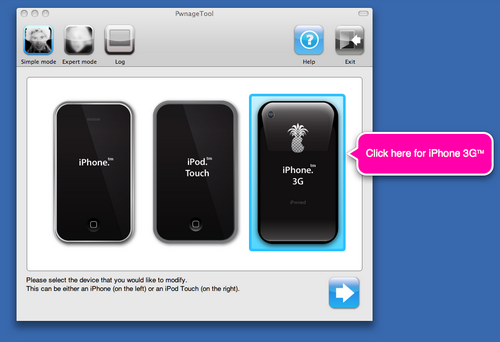
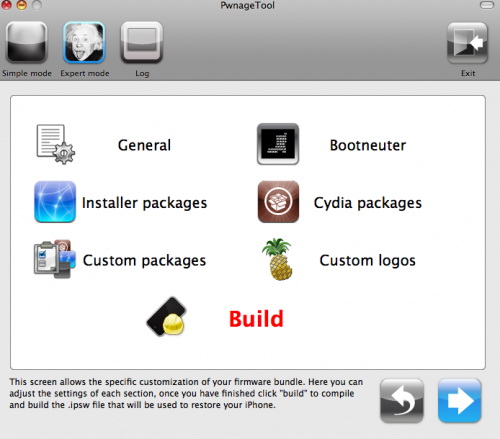
If you are using a 3G iPhone with yellowsn0w and rely on yellowsn0w to obtain cellular service, then you should NOT use PwnageTool right now. Ultrasn0w is not included with this release and therefore your baseband will be locked and unable to use an operator other than the official one it was bought for. Ultrasn0w will be release via APT (cydia and icy) soon (update: Ultrasn0w released). If you have an original iPhone (1st generation) then 3.0 unlock works with this PwnageTool release.
Yellowsn0w in its current form will NOT work with the baseband version that is present in the 3.0 update, you will need Ultrasn0w, which will be released sometime soon, Ultrasn0w will work with all iPhone 3G models (but not 3GS), even ones that were previously unlockable, Ultrasn0w will be released via APT (this means you can get it via Cydia or Icy).
PwnageTool will NOT work for the iPhone 3GS. PwnageTool WILL work for Original iPhone (1st Generation), Original iPod touch (1st Generation) and the iPhone 3G.
Sn0wBreeze 2.9.7(supports tethered jailbreak of iOS 6.0.1 for iPhone 4, iPhone 3GS, iPod Touch 4G)
Sn0wBreeze 2.9.6(pwnagetool for windows, supports untethered jailbreak of iOS 5.1.1 for iPhone 4, iPhone 3GS, iPod Touch 3G, iPod Touch 4G, iPad and Apple TV 2G)
Sn0wBreeze 2.9.3(pwnagetool for windows, supports tethered jailbreak of iOS 5.1 for iPhone 4, iPhone 3GS, iPod Touch 3G, iPod Touch 4G, iPad; untethered for iPhone 3GS with old bootrom; untethered for iOS 5.0.1, iOS 4, iOS 3 supports Apple TV 2G)
Sn0wBreeze 2.8b11(pwnagetool for windows, supports iOS 5, iOS 5.0.1, tethered jailbreak for iPhone 4, iPhone 3GS, iPod Touch 3G, iPod Touch 4G, iPad, Apple TV 2G; untethered for iPhone 3GS with old bootrom)
UltraSn0w Current version is ultrasn0w 1.2.3, download in Cydia(unlock for iPhone 4, iPhone 3GS, iPhone 3G, firmwares 3.0-4.3.3; it supports basebands 01.59.00, 04.26.08, 05.11.07, 05.12.01, 05.13.04, 06.15.00)
It auto-finds the bl39 and bl46 files better, if they’re on your computer
It creates the ~/Library/iTunes/Device Support/ folder if not present, which should help with some 1600 errors people have been having.
Many people have reported the PwnageTool not starting up at all (the icon never stops bouncing). This issue should be resolved now.
The Sparkle AppCast URL is fixed in this version, so automatic updates should work for future releases.
Because of the AppCast URL fix, we recommend that everyone who downloaded PwnageTool 2.0 get this version, if they want to stay up to date automatically.
If PwnageTool 2.0 pwned your phone correctly the first time, you do not need to pwn again with 2.0.1.
The file can be found on , or at .
If you choose to download it from other mirrors, you may want to verify that the SHA1 of the file is 10b6c7dc22286e7b70c3d5a92cda7d117426fda9.
DevTeam is working hard to release their PwnageTool 2.0. Today it became clear what it will be able to do:
iPhone (1st Gen) with 2.0 – Activated, Unlocked & Jailbroken, (with support for third party applications).
iPod Touch with 2.0 – Activated & Jailbroken, (with support for third party applications).
iPhone (3G) with 2.0 – Activated, Jailbroken (with support for third party applications).
So no unlock for IPhone 3G. But, they promise to create the next version with support of unlock, bootneuter and etc for IPhone 3G. It just will take some time.