These are instructions on how to jailbreak your iPhone using PwnageTool 4.1.2 for Mac OS X. If you need unlock and you have not updated to iOS 4 you will be able to preserve baseband and unlock iPhone using ultrasn0w.
This guide will work for iPhone 4, iPhone 3GS, iPhone 3G, iPod Touch 3G, iPod Touch 4G, iPad and AppleTV. Just use the right firmware and select the right device (step four).
Step One
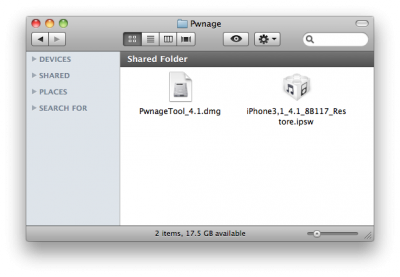
Make a folder called “Pwnage” on the desktop. Now you need to download there PwnageTool 4.1.2 from and iOS 4.1 firmware from .
When downloading the IPSW file, it is best to download it with Firefox since Safari often auto extracts it!
Step Two
Double click to mount PwnageTool then drag the PwnageTool icon into the Pwnage folder.
PwnageTool is a Mac OS X jailbreak tool. One of it’s advantages is the ability to preserve old baseband, which means you can have firmware iOS 4.1 with baseband from iOS 4.0 (if you haven’t updated to 4.1 already). And this brings unlcok, because iOS 4.0 is unlockable.
iPhone 2G and iPod touch 1G do not officially support iOS 4. However there is a project called WhiteD00r that aims to bring iOS 4 functionality to iPhone 2G users with a custom firmware bundle.
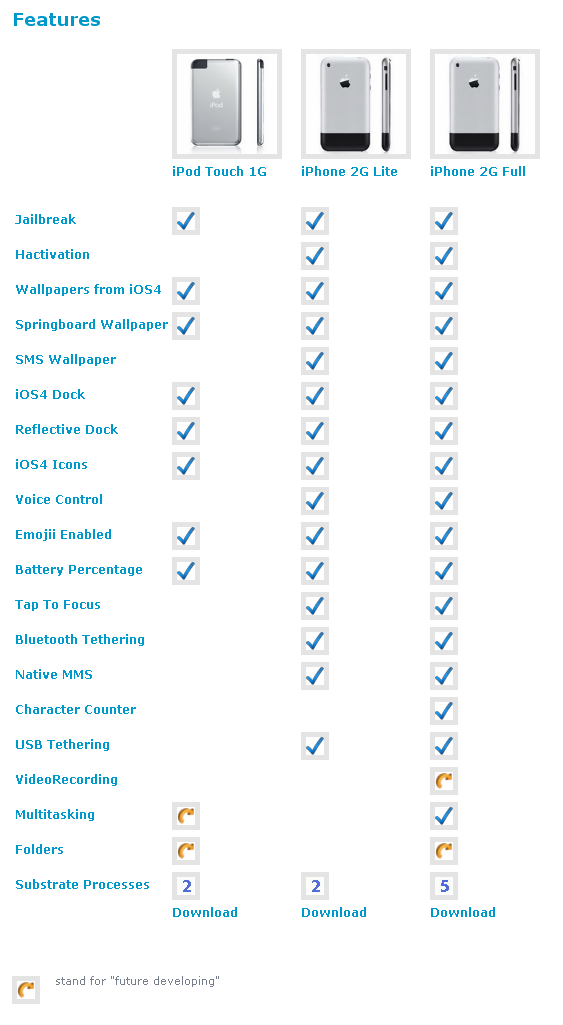
This bundle is created by Matteo Morando and is based on firmware 3.1.3. It is built with PwnageTool. It incorporates several utilities to adds iOS 4 features such as multitasking, wallpaper, tethering, sms count, and more.
There are 3 different versions – Lite and Full for iPhone 2G and one for iPod touch 1G. Here is the complete feature list:
H8sn0w has just released the new version of Sn0wbreeze 1.4. Sn0wbreeze is a jailbreak utility with functionality similar to PwnageTool. The new version supports firmware 3.1.3 jailbreak for the following devices:
Sn0wbreeze is a Windows application, so Mac users have to wait for the upcoming release of PwnageTool by the DevTeam. Alternatively, both Mac and Windows users can use Redsn0w to run jailbreak (no custom firmware though).
You can download the new version of sn0wbreeze .
MuscleNerd continues to argue that we should not use sn0wbreeze. Especially users who have unlocked their iPhone with blacksn0w utility: